
50 Most Common SEO Errors We See in 2025 (And How to Fix Them)
By Auditbly
•November 24, 2025
•10 min read
SEO is a constant balancing act. You spend your days optimizing, testing, and waiting for those sweet, sweet organic rankings to climb, only to find some small, silent error is tanking your efforts. It’s a bit like tuning a precision engine: one loose bolt, and your top speed drops dramatically.
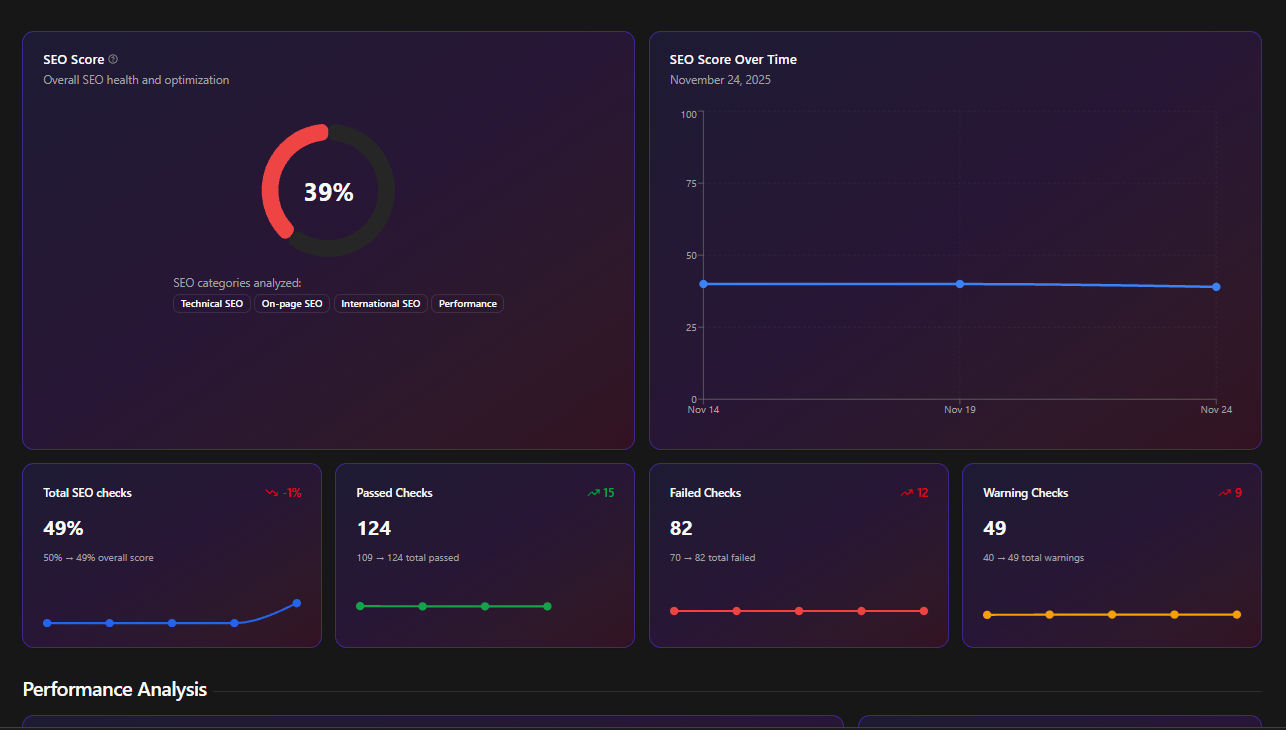
Figure: Even small SEO issues can quietly erode performance.
At Auditbly, we process thousands of automated website audits every month, focusing on the core pillars of web success: Accessibility, Performance, and, of course, SEO. Over time, patterns emerge, and we see the same culprits pop up again and again—the simple, easily fixable issues that developers, agencies, and product teams overlook when the deadlines hit.
These aren't the esoteric, deep-dive problems only an SEO specialist could find. They are the foundational cracks that bleed organic traffic. The good news? Once you know they exist, they're relatively straightforward to patch up.
Here are the 50 most common SEO errors we detect in our audits, grouped by the area of impact, giving you a precise checklist of what to address right now before Google’s bots decide to look elsewhere.
On-Page & Content Structure Errors (The Basics)
These are the elements that directly tell search engines what your page is about. Getting them wrong is like writing a book without a title.
- Missing or Empty Meta Descriptions: The snippet that convinces users to click in the SERP. If it's missing, you're leaving a huge opportunity on the table.
- Duplicate Meta Descriptions: Google hates ambiguity. If 20 pages have the same description, it confuses both the user and the search engine.
- Missing or Empty Title Tags: The single most important on-page element.
- Duplicate Title Tags: Just like descriptions, titles must be unique to signal distinct content.
- Title Tags That Are Too Long (> 60 characters): They get truncated in the SERP, hiding your key terms.
- Title Tags That Are Too Short (< 30 characters): Wasted space where you could be descriptive and keyword-rich.
- Multiple
<h1>Tags Per Page: The<h1>should be the single main headline, acting as the primary content identifier. More than one dilutes its importance. - Missing
<h1>Tag: The page has no clear main topic, a massive missed SEO opportunity. - Thin Content: Pages with very little text (often under 200 words) that offer little value to the user.
- Low Text-to-HTML Ratio: Too much code overhead and not enough valuable content for search engines to index.
Linking & Navigational Errors (The Map)
How your pages connect is how search engines discover and assign authority to your content. A poor linking structure is a bad map.
- Broken Internal Links (4xx Errors): Links pointing to non-existent pages within your own site. This is a dead end for users and bots, wasting crawl budget.
- Broken External Links (4xx Errors): Linking out to dead pages on other sites. While less critical than internal links, it signals poor maintenance.
- Missing Alt Text on Images Used as Links: When an image is used as a link, the alt text serves as the anchor text for screen readers and search engines.
- Too Many On-Page Links (> 100): Overloading a page can dilute the link equity passed between pages.
- Missing
rel="nofollow"on Sponsored/Affiliate Links: Search engines require these signals to maintain the integrity of link graphs. - Chained Redirects (302/301 → 302/301 → Final URL): Multiple hops slow down the site and can cause a loss of link equity. Aim for a single, direct redirect.
- Pages That Are Too Deep in the Site Architecture: Content that requires more than 3-4 clicks from the homepage is harder for bots to discover and often has lower perceived authority.
- Missing or Incorrect Canonical Tags: Failing to specify the preferred version of content, leading to potential duplicate content issues.
- Incorrect Use of
rel="next"andrel="prev"(for Pagination): While Google says they largely ignore these, proper implementation still helps guide crawl bots through paginated series. - Orphan Pages: Pages that have no incoming internal links from any other page on the site, making them virtually invisible to search engines.
Technical SEO Errors (The Engine Room)
These are the behind-the-scenes issues that dictate how well search engines can actually access, crawl, and understand your entire website.
- Non-Descriptive URLs (e.g.,
/?p=123): URLs should be clean, contain keywords, and be human-readable. - Mixed Content Errors (HTTPS page loading HTTP resources): A major security and performance flaw that can lead to ranking drops or browser warnings.
- Slow Server Response Time (TTFB > 600ms): Time To First Byte (TTFB) is a key performance indicator; if your server is slow, Google will crawl less of your site.
- Missing or Malformed
robots.txtFile: This file tells bots where they shouldn't go. Errors here can block important pages or waste crawl budget on unimportant ones. - Important Pages Disallowed by
robots.txt: Accidentally blocking access to pages you want indexed. A classic oops moment. - Pages Returning Soft 404s: Pages that return a 200 (OK) status code but contain minimal content or a custom "Page Not Found" message. This confuses search engines.
- Missing XML Sitemap: The roadmap for search engines. While they can crawl without one, it's essential for guiding them through all your important URLs.
- XML Sitemap Containing URLs That Are Blocked by
robots.txt: Contradictory instructions that confuse crawlers. - XML Sitemap Containing Non-Canonical URLs: The sitemap should only list the preferred version of each page.
- Non-Secure Protocol (Still Using HTTP): HTTPS is non-negotiable for security and is a ranking signal.
- Improper
HreflangImplementation: For multi-regional or multi-lingual sites, incorrecthreflangtags lead to content being mistakenly viewed as duplication. - Mobile Usability Errors: Content not fitting the viewport, clickable elements being too close together, or text being too small. Mobile-first indexing means these are critical.
- Missing or Incomplete Structured Data Markup: Failing to use Schema.org markup (like for Reviews, Products, or FAQs) to enable rich snippets in search results.
- Multiple
<meta refresh>Tags: Using old-school meta refresh tags for redirects instead of proper 301/302 redirects. - Excessive DOM Size: A large, complex DOM tree slows down page rendering, impacting Core Web Vitals and overall load time. This links directly to the performance pillar.
Image & Media Optimization Errors (The Heavy Lifters)
Images are often the heaviest assets on a page. Ignoring their optimization is a guaranteed way to slow things down and miss out on image search traffic. (This is where the Performance and SEO pillars beautifully overlap.)
- Missing Image Alt Text: A critical accessibility requirement that doubles as an SEO opportunity for keyword inclusion.
- Non-Descriptive Image File Names: Naming images
image1.jpginstead ofblue-widget-product.jpgis a missed chance for image SEO. - Images That Are Not Next-Gen Formats: Using large
PNGs orJPEGSinstead of modern formats likeWebPorAVIFfor better compression. - Uncompressed Images (Large File Size): The number one cause of slow loading times. Optimizing compression is a quick win.
- Images That Are Too Large for Their Display Container: Serving a pixel image that only displays at pixels. Wasted bandwidth and slow loading.
- Missing
loading="lazy"Attribute for Off-Screen Images: This simple attribute vastly improves initial load time by deferring the loading of images below the fold.
Experience & Coverage Errors (The Quality Check)
Google is increasingly focused on the overall user experience and how completely they can crawl your site. These errors hit you right where it hurts: quality signals and index coverage.
- Duplicate Content (Non-Canonicalized): Having the same block of text on multiple URLs without a canonical tag, forcing search engines to pick one—or ignore them all.
- Core Web Vitals Failures (LCP, FID/INP, CLS): Failing any of these performance metrics is now a direct, tangible ranking disadvantage.
- Low Content Uniqueness (Similarity to Other Sites): Content that is scraped or too similar to other sources. Originality is rewarded.
- Pages Blocked from Indexing (Using
<meta name="robots" content="noindex">): Intentionally blocking pages you want to rank for. - Indexable Staging/Test URLs: Accidentally leaving development environments or test pages open to indexing, causing content confusion.
- Missing Language Attributes on the
<html>Tag: The language must be defined for properhreflangtargeting and accessibility. - Inconsistent Internal Link Anchor Text: Linking to the same page using wildly different, unoptimized anchor texts. Consistency helps define the target page's topic.
- Low Readability Score: While not a direct ranking factor, content that is difficult to read has a higher bounce rate and lower time-on-page, both of which are negative signals.
- Pages with Critical JavaScript/CSS Loading Errors: If your main content relies on scripts that fail to load, Google's renderer can't see the content, leading to empty pages in the index.
The Auditbly Approach to Finding the Needles in the Haystack
That's a daunting list, and manually checking 50 potential issues across a site with hundreds or thousands of pages is a recipe for a burnout and a missed deadline. Most developers and product teams don't have the luxury of spending days in spreadsheet purgatory.
This is precisely the pain point Auditbly was built to solve.
Our platform automatically scans your site against these 50 common errors (and many more covering performance and accessibility). We don't just tell you that a page has a broken link; we tell you the exact URL of the page, the anchor text of the broken link, and the precise HTTP status code it returned.
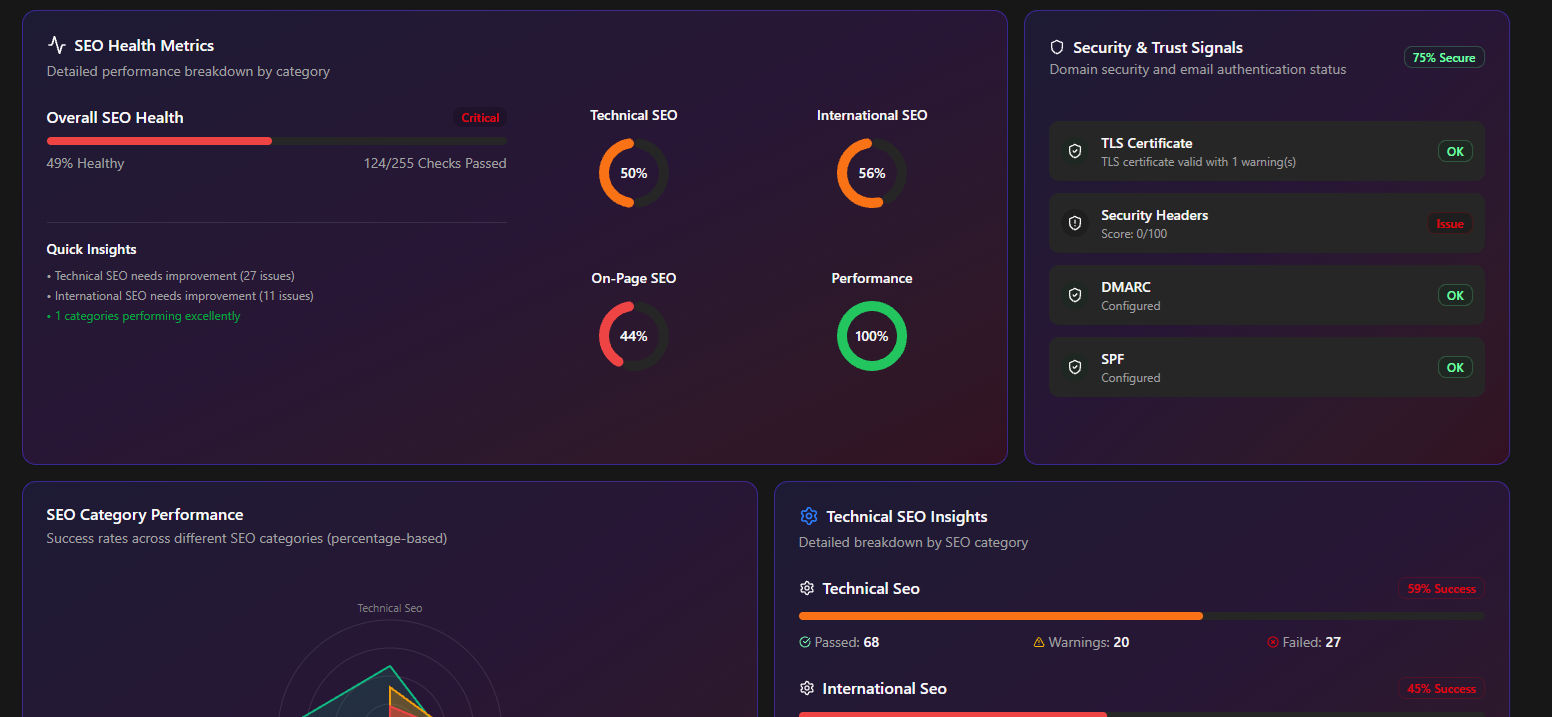
Figure: Auditbly automatically detects issues across performance, SEO, and accessibility.
How Auditbly Detects These Errors:
- Content Parsing: We analyze the rendered DOM (what the user actually sees) to check for missing/duplicate
<h1>tags, meta descriptions, and alt text. - Status Code & Header Analysis: We make head and full requests to every discovered URL to spot 4xx/5xx errors, chained redirects, and improper canonicalization/indexing headers.
- Sitemap/Robots Validation: We cross-reference the URLs found in your XML sitemap against the rules in your
robots.txtto flag any conflicting instructions. - Performance Metrics: We integrate Lighthouse data to flag slow TTFB, uncompressed images, and Core Web Vitals failures, tying performance issues directly back to their SEO impact.
This automated diagnostic process is designed to deliver a prioritized, actionable list—not a massive, cryptic CSV file. It takes the guesswork out of technical SEO and frees up your engineering team to focus on deployment, not detection.
The shift in SEO has moved from purely keyword density to holistic site health. The errors above are all symptoms of an unmanaged, technically messy site. By addressing them, you’re not just chasing an algorithm; you’re building a faster, more robust, and more reliable user experience. And that, more than anything, is what wins in the long run.
Ready to see which of these 50 common SEO errors are silently plaguing your site?
Let Auditbly automatically detect all these errors for you.